

Trusted by gaming venues worldwide
Cyber Cafe Management Software for Game Centers





- 3000+
- Clients Worldwide
- 90+
- Countries Served
- 24/7
- Global Support
What Is iCafeCloud Internet Cafe Software?
iCafeCloud is a cyber cafe program built around one idea: you shouldn't have to spend your shift babysitting billing timers and chasing down game license conflicts. It handles the unglamorous stuff — member accounts, session billing, game updates, license pools — so you can focus on actually running your venue.
At its core, it's internet cafe management software — the kind of internet cafe computer software that gives you full visibility across every machine from a single dashboard. You can see every active session, and you know exactly where you stand. When a customer's time runs out, the system handles it. When a game needs updating, iCafeCloud handles that too.
It also lets you share game licenses across your PCs, so customers can play titles without each needing their own copy. And at the end of the day, you pull a report — earnings, expenses, member activity — and you know how the day went.
- Session Billing and Time Control
- Game Library Management
- Automatic Game Updates
- Shared Game License Pool
- Reports and Analytics
- PC and Room Booking
- Membership and Member Portal
- Promotions and Loyalty
Internet Cafe Management Software Features
All featuresBilling
Prepaid, postpaid, member, offer and free-time sessions. The clock starts when a customer sits down, the right rate is applied for that machine and that member tier, and the charge is written the moment the session ends.
Game Library
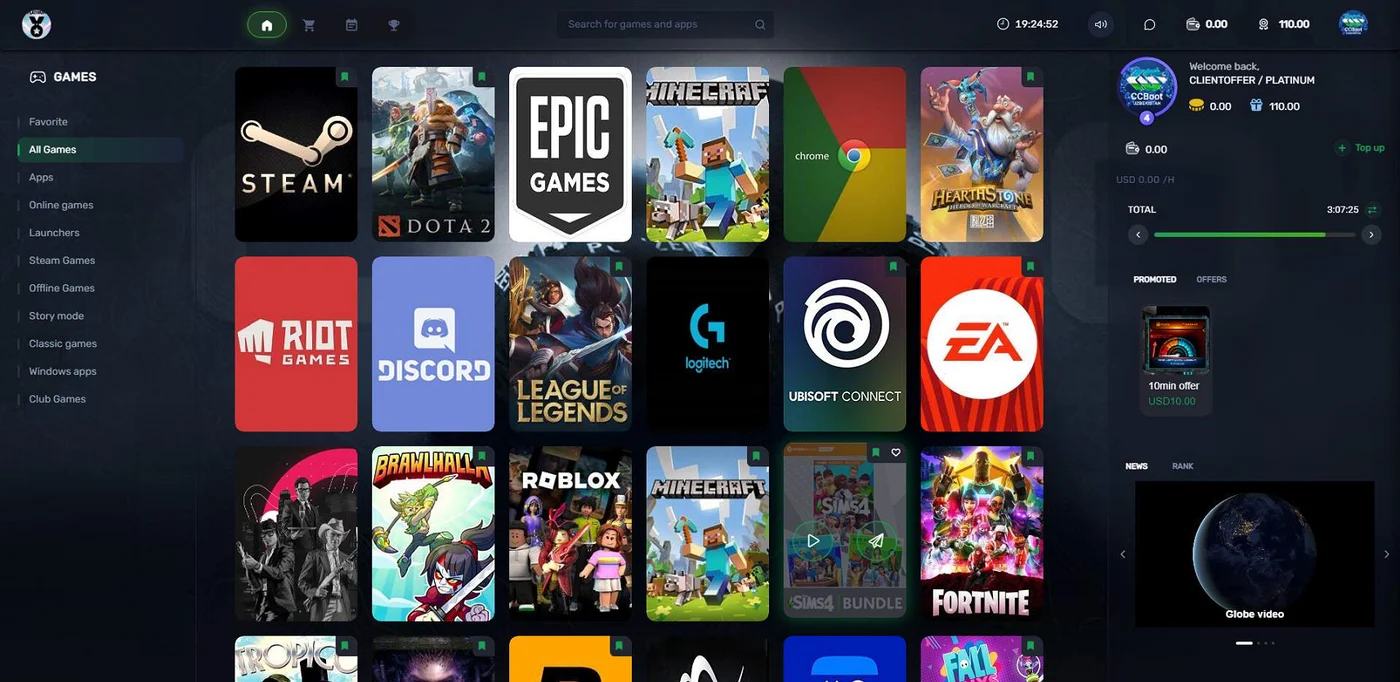
One catalogue for the whole venue. Steam, Epic, Riot, Uplay, VKPlay, Windows Store apps and your own local titles, sorted into the categories your customers browse on the client.
Game Update
Patches land on the server, not on your customers. IDC downloads, a Steam update script and GameFix links keep every machine current without anyone watching a progress bar.
License Sharing
A pool of accounts your centre owns. When a customer launches a paid title the system lends them a license for the session, then takes it back — so you buy a few copies, not one per PC.
Reporting
Income, top-ups, offers, products, games, members and PC spend. Filter by date, staff, member group or shift, compare against last month, and export any of it.
Booking
Members reserve a PC, a console or a whole room from the portal on their phone. The machine is locked before they arrive, and they pay for the time they actually use.
Membership
Accounts that carry balance, bonus, points, hours and history. Member groups set the prices, and the self-service portal handles top-ups so your counter does not have to.
Promotion
Promo codes, top-up rewards, cashback, points and a lucky spin. Set the rule once and the system applies it at the counter, at the client and in the portal.
Who Uses This Cyber Cafe Program?
iCafeCloud is the right fit if you run any kind of venue where customers pay to use computers:
- 01Gaming centers and LAN centers
- 02Gaming cafes and gaming lounges
- 03Internet cafes and internet shops
- 04eSports arenas and training facilities
- 05PC bangs and coworking spaces with gaming setups
The common thread: multiple machines, paying customers, and a need to know who's using what and for how long. If that's your business, this is the cyber cafe software and internet cafe program built for it — internet cafe software that handles the details so you can focus on the customers.


Pricing
Per-PC pricing. Pay monthly, or save 20% paying annually.
Mobile app
Run your cafe from your pocket
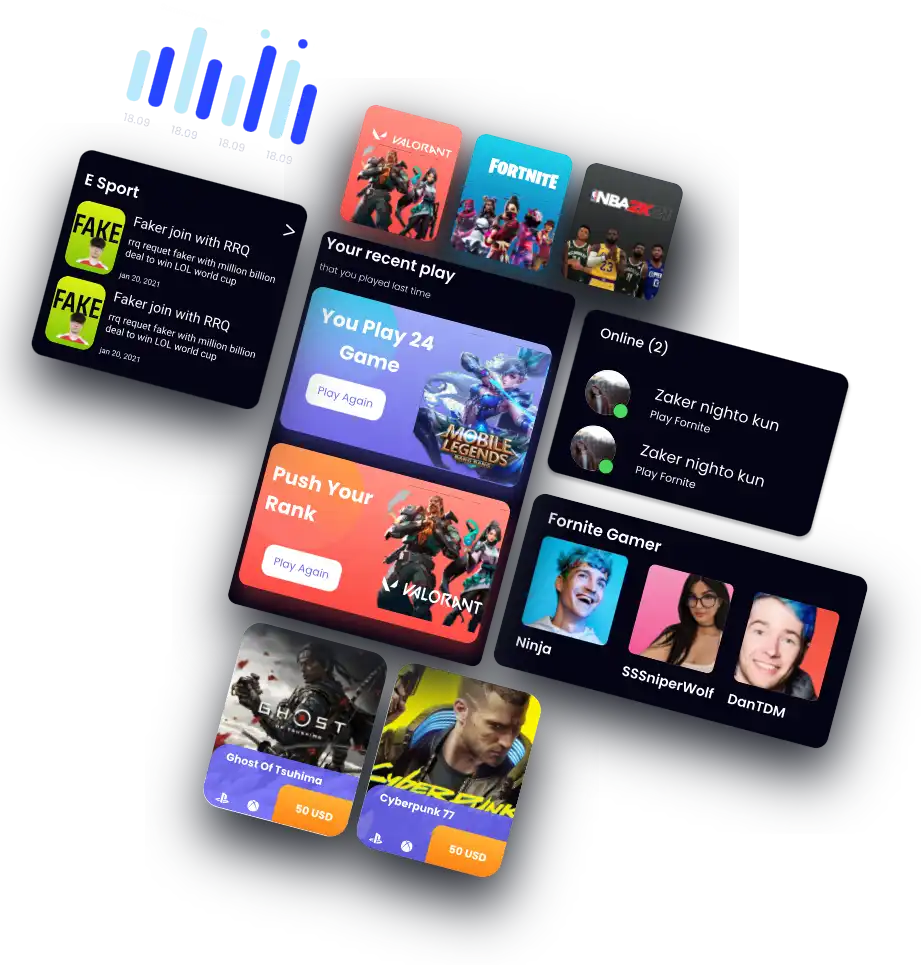
Check live sessions, top up members, watch earnings and control PCs from your phone. Free with every iCafeCloud account.
Local Partners
GameSync Esports Centers & Consulting Services
- Contact Person
- Agragati Siegel
- Telephone
- +1 (858) 477-4263
- agragati@gamesync.gg
- Website
- https://gamesync.consulting/
- Address
- 7370 Opportunity Road, Suite G, San Diego, CA 92111
CNet Systems
- Contact Person
- Terry Kim
- Telephone
- (703) 579-1707
- general.manager@cnetcurity.com
- Website
- https://www.cnetcurity.com
- Address
- 1945 Old Gallows Rd Suite 525, Tysons, VA 22182
Frequently Asked Questions
What type of venues is iCafeCloud designed for?
Any venue where customers pay to use computers. The most common use cases are gaming cafes, LAN centers, internet cafes, and internet shops. If you're billing customers by the hour and managing more than a handful of machines, iCafeCloud is built for that kind of operation.
Is iCafeCloud cloud-based?
Yes. The admin panel runs in the cloud, which means you can log in from any browser — at the venue, from home, or from your phone — and see what's happening in real time. You don't need to be physically at the counter to check on active sessions or pull a report.
I'm switching from another internet cafe computer software. Can I bring my member data over?
Get in touch with support before you make the move. Depending on the format your current system uses to export data, migration is usually possible. Contact the team through the support page and they can tell you what's supported and how long it takes.
How does game license sharing actually work?
You add your game licenses to iCafeCloud's license pool. When a customer logs in and opens a title, the system checks the pool and assigns them a license for their session. When the session ends, the license is released. If all licenses for a particular game are in use, the system won't let additional customers open it — so you're never accidentally over your limit.
What happens when a customer's session time runs out?
The machine locks and the session closes. You can configure warnings — a pop-up a few minutes before time's up, for example — so customers have a chance to top up before they get cut off mid-game. Whether they top up or let it expire is up to them; the billing either way is handled automatically.
Can I set different rates for different areas of my venue?
Yes. You can create zones and assign different pricing to each one. Premium seats, console corners, off-peak hours — iCafeCloud lets you set up the rate structure that fits how your venue actually works.
Does iCafeCloud work with CCBoot?
Yes. iCafeCloud and CCBoot can run together — there's a combined plan for venues using both. The pricing for that bundle is listed in the section above.
How do I get started?
Apply for a trial license through the link below. You'll get access to the full feature set to run on your machines before committing to a paid plan.
Internet Cafe Software Built for Real Operators
If you've been managing your gaming center or internet cafe with a spreadsheet and a timer on your phone, iCafeCloud is the upgrade that pays for itself quickly. It brings billing, member management, game licenses, PC control, and reporting into one place—with flexible, affordable plans for venues of all sizes.
Whether you run a two-room internet shop or a 100-seat LAN center, the core problem is the same: too many things to track, not enough hours in a shift. This is the cyber cafe management software that handles the tracking side so you can handle everything else.