
2025-12-25
pc, computer, group
The following explains how to create and use PC groups and levels to organize computers by category (ex VIP, regular etc). After creating groups on the PC management page, you can assign specific pricing and offers to each group.
- Click the create group button (Figure 1).
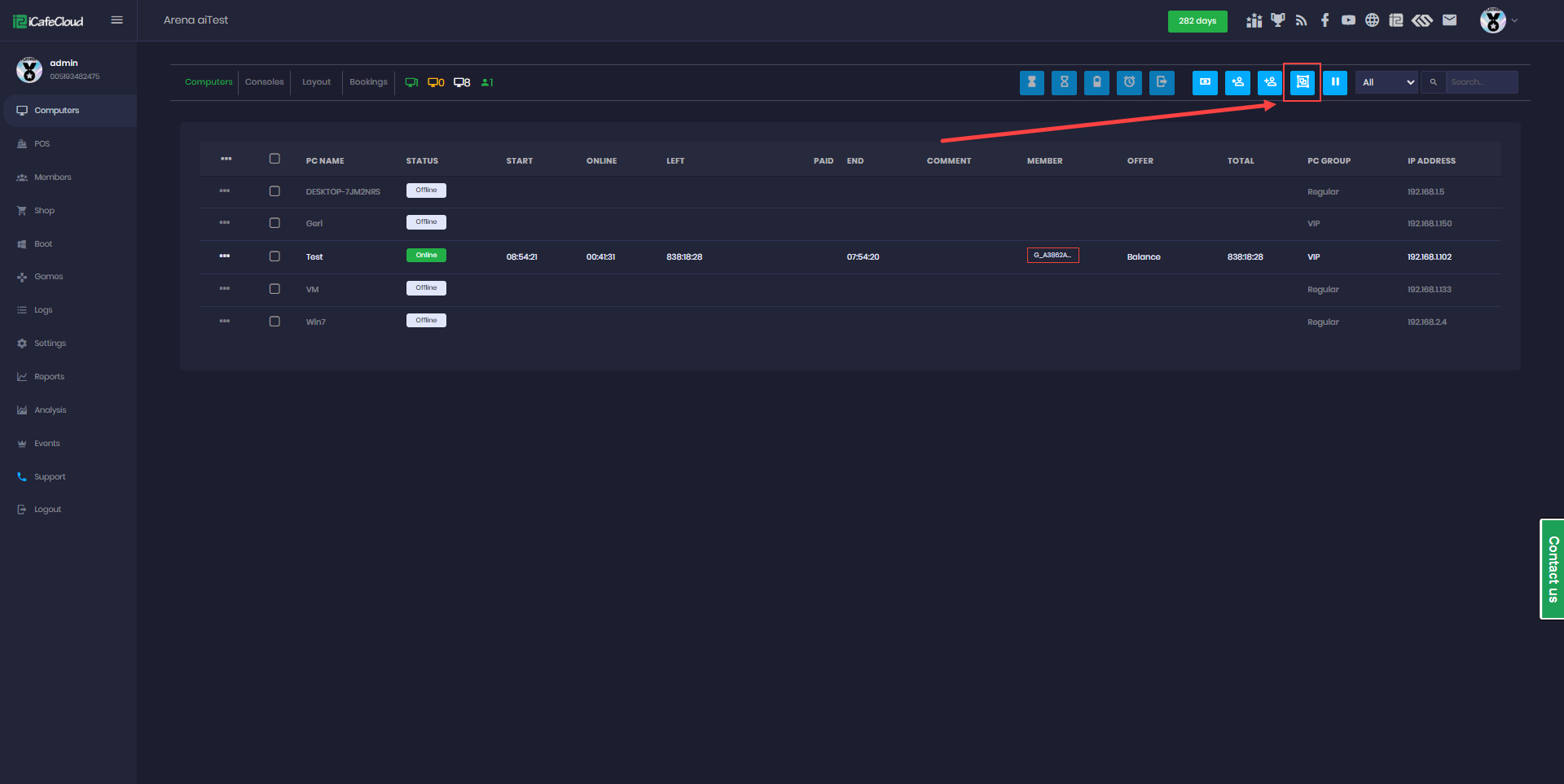
Figure 1
- Click the “Add” button (Figure 2).
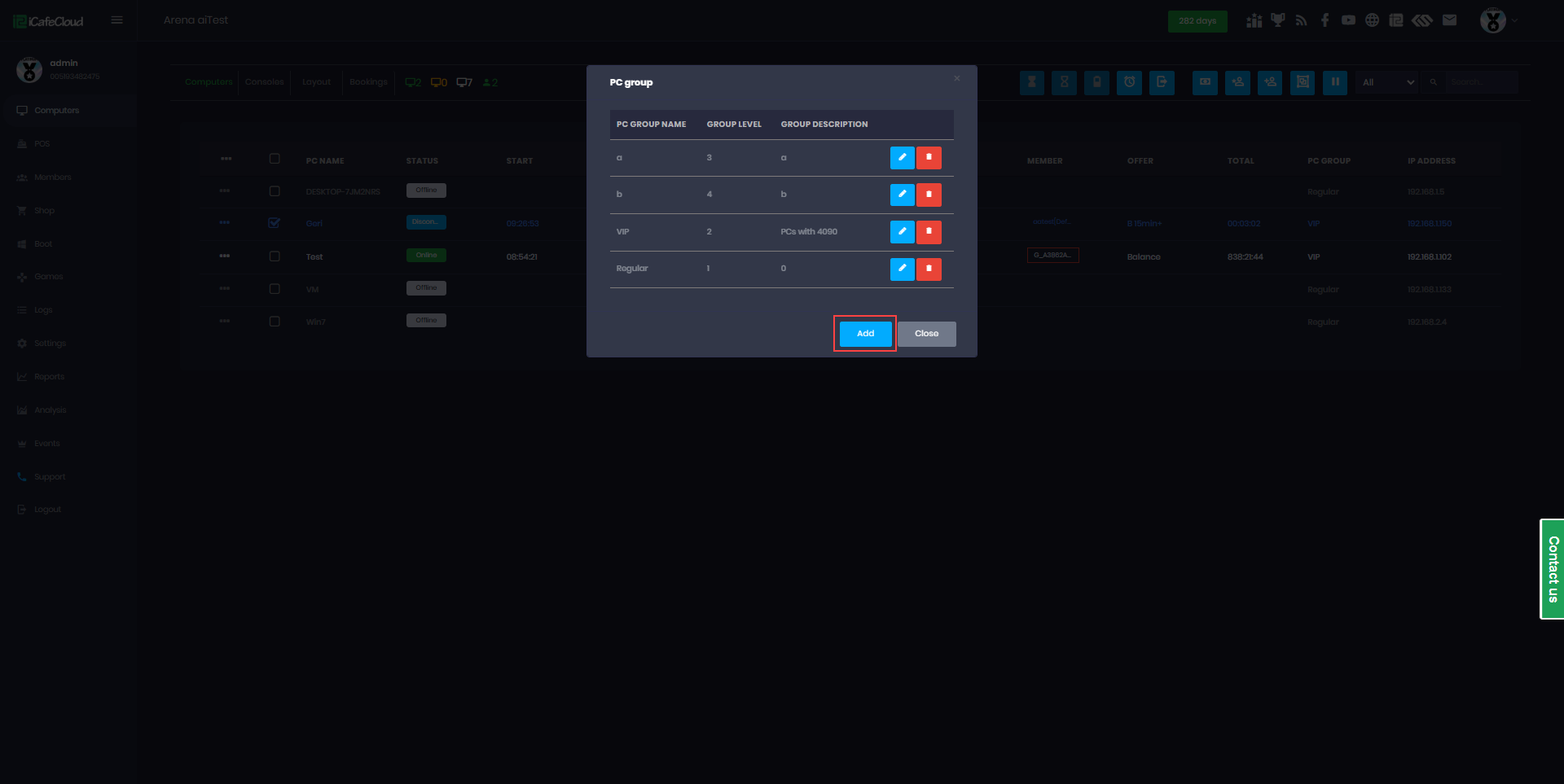
Figure 2
- Enter the PC group name, select level by number, add an optional description, and then click the "Ok" button. (Figure 3).
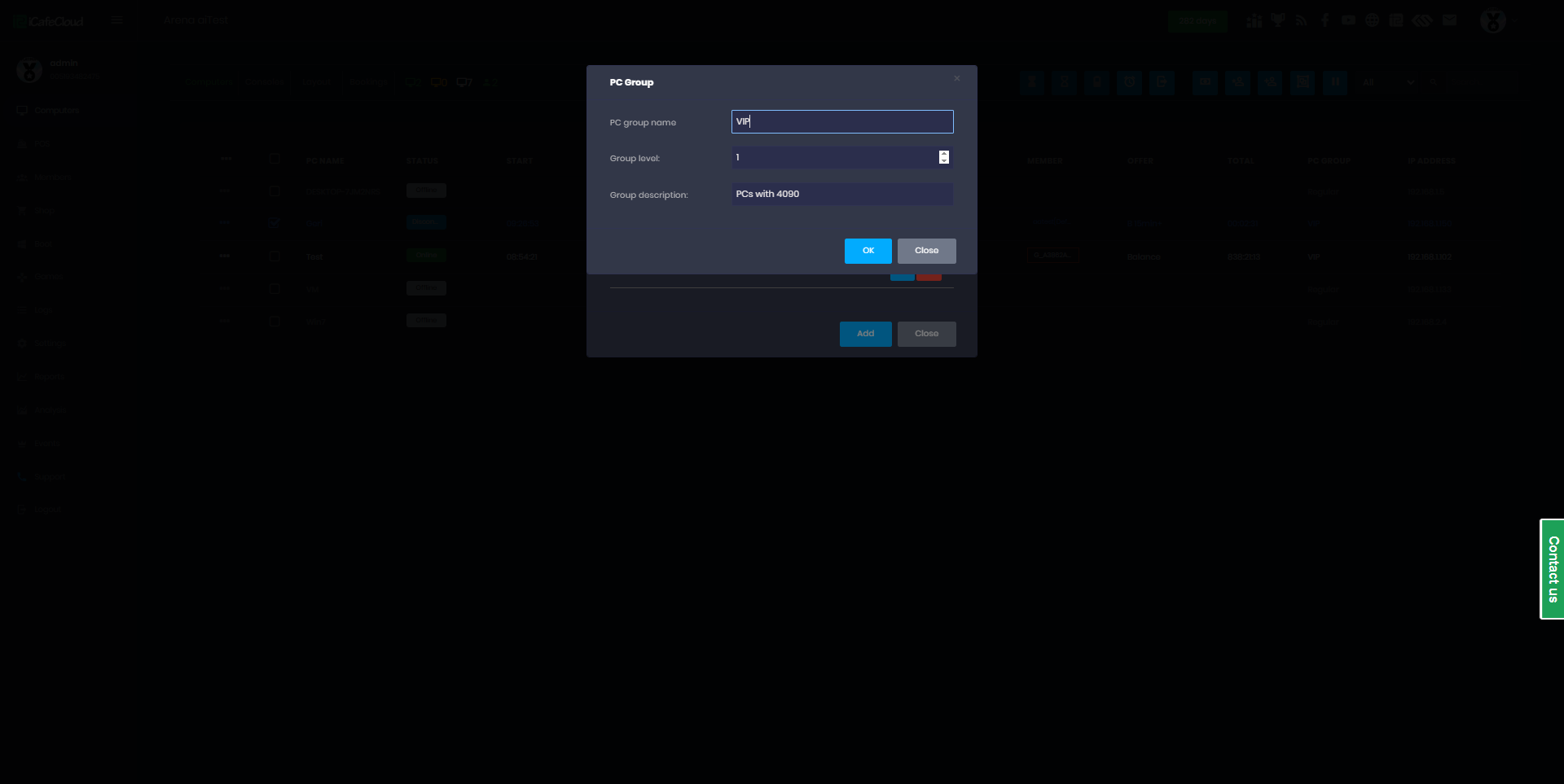
Figure 3
- The group level setting ensures that offers purchased on computers in a lower group level cannot be used on computers in a higher group level. Conversely, passes purchased on computers in a higher group level can also be used in lower zones. (Figure 4)
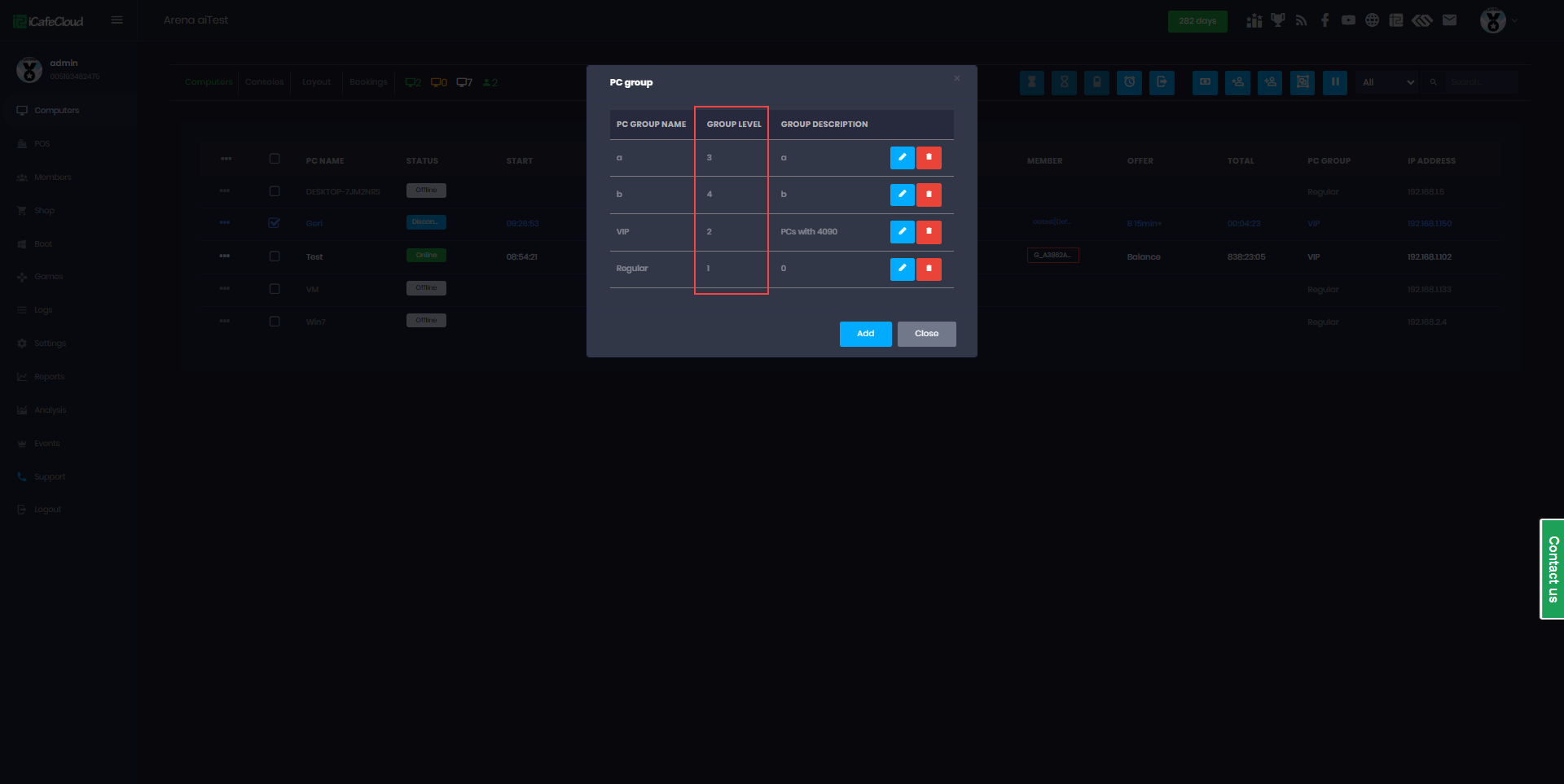
Figure 4
- For level functionality enable Allow offer cross PC group.
- Then the created PC group will be listed and you can delete or edit if you want in future (Figure 4).
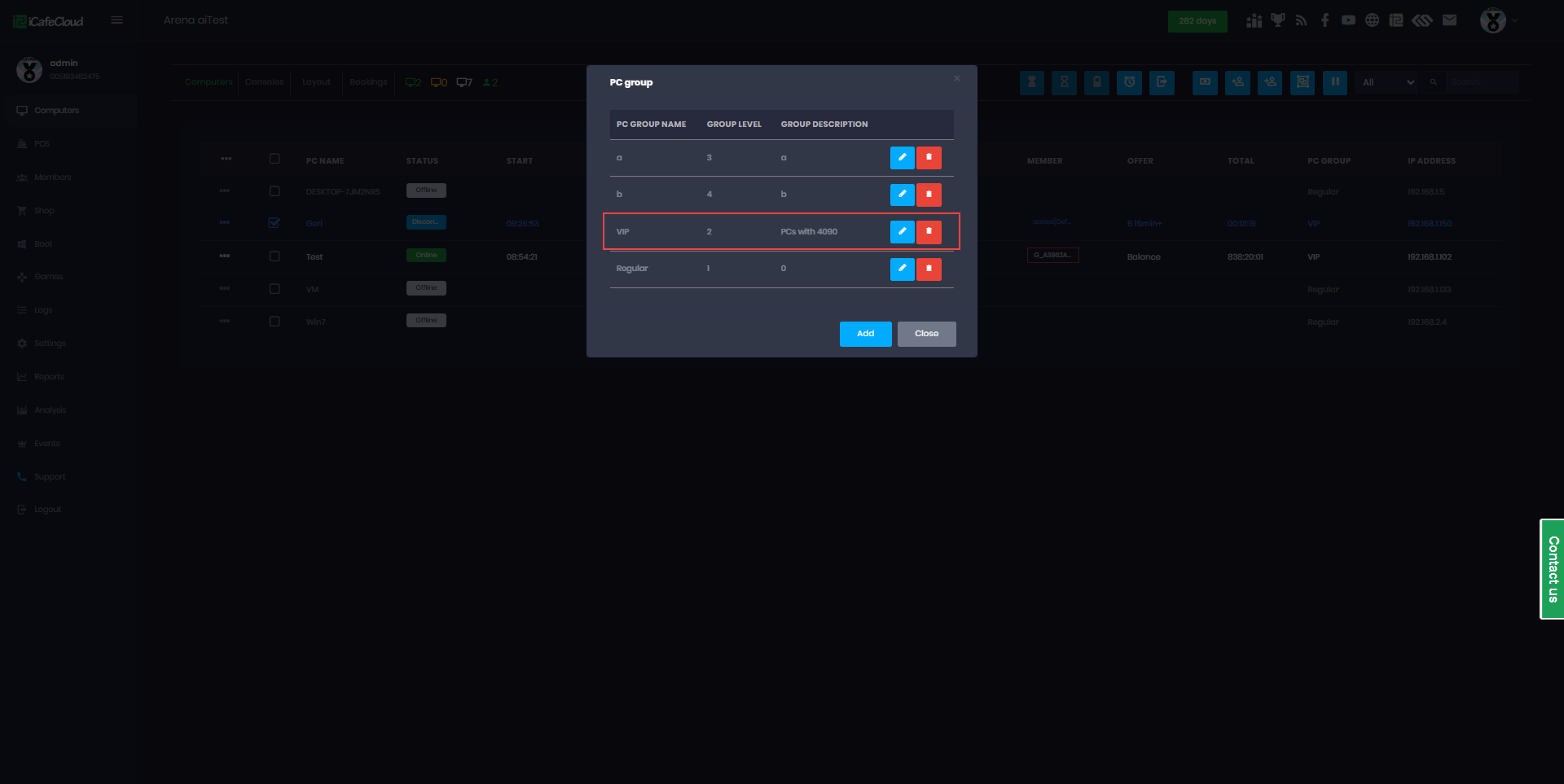
Figure 4